SpeakLingo: The Brand Born to Destroy Keyboards from People's Lives — And Why It's Working
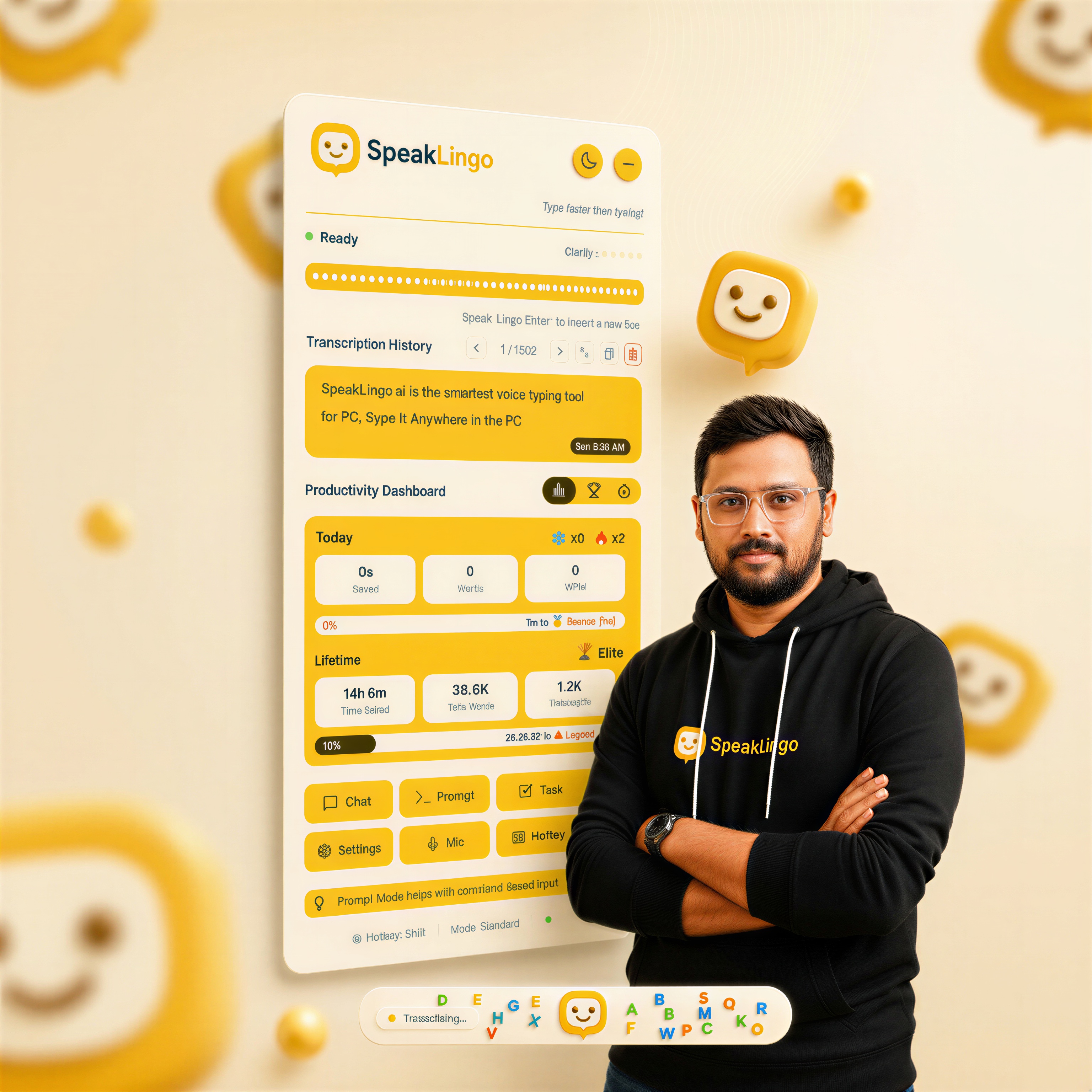
SpeakLingo is a voice-to-text application for Windows built by Avy Labs AI Pvt. Ltd. with a single mission: destroy the keyboard. Say "Hey Lingo" to activate. Speak at 150 WPM. Every keyboard shortcut mapped to voice. Six AI modes: SYPE, TASK, PROMPT, CHAT, TUTOR, and OFFLINE. Voice never leaves your device. Starting at $5/month.
Updated: June 2026
Why Does SpeakLingo Exist? To End the Keyboard Era.
SpeakLingo exists because its founder experienced firsthand what millions of knowledge workers endure silently — chronic wrist pain from keyboard overuse. The brand was founded not to build a better typing tool, but to make typing itself unnecessary. SpeakLingo is the product of a simple realization: the keyboard is not a tool to be optimized. It is a problem to be eliminated.
In late 2024, I was building software fourteen hours a day. Writing code. Answering emails. Filing reports. Messaging on Slack. Everything through a keyboard. My wrists started going numb during the third month. I would shake them out, stretch, keep typing. By month five, I was wearing wrist braces to bed.
One night I was sitting at my desk trying to finish a product specification. I could not type more than two paragraphs without stopping. My fingers worked fine. My wrists refused. I started speaking the document out loud to remember my train of thought — and I finished the entire spec in eleven minutes. Speaking what would have taken me forty-five minutes to type.
That was the moment. Not the pain. The speed. The realization that my voice could do in eleven minutes what my fingers needed forty-five minutes to accomplish. And the question that followed: why am I still using a keyboard at all?
I tried every voice tool on the market. Dragon. Whisper. Otter. Windows Speech Recognition. They all did the same thing: convert speech to letters. But I still needed the keyboard for Ctrl+B. For Enter. For Alt+Tab. For Ctrl+Z. For every shortcut, every command, every action that was not a letter.
None of them killed the keyboard. They just made one small part of it optional.
So I built a brand with a different thesis: the keyboard is the disease, not the patient. SpeakLingo is the cure.
What Made a Software Engineer Declare War on Keyboards?
The founding insight behind SpeakLingo was not a market opportunity — it was a personal reckoning. After five months of 14-hour keyboard days, the founder could not type two consecutive paragraphs without pain. The same experience affects 4.8 million Americans diagnosed with carpal tunnel syndrome (CDC National Health Interview Survey, 2010), costing an estimated $20 billion annually in workers’ compensation (OSHA ergonomic injury estimates).
But SpeakLingo was not born from the statistics. It was born from the gap between what existed and what was needed.
I spent three weeks testing every voice tool available. I logged the results. Every single one had the same limitation: they replaced the letter keys and nothing else. I still touched the keyboard 200+ times per day for shortcuts alone.
| What I Tested | Letters Replaced? | Shortcuts Replaced? | Keyboard Eliminated? |
|---|---|---|---|
| Dragon Professional | ✓ | ✗ | ✗ |
| Windows Speech Recognition | ✓ | ✗ | ✗ |
| Whisper-based tools | ✓ | ✗ | ✗ |
| Otter.ai | ✓ (meeting transcription) | ✗ | ✗ |
| Google Voice Typing | ✓ | ✗ | ✗ |
Every row in that table told the same story. The industry had collectively decided that voice typing meant dictation. Nobody was asking the harder question: what if voice could replace the entire keyboard — every key, every shortcut, every command?
That question became the founding thesis of SpeakLingo. Not "better dictation." Not "faster transcription." Complete keyboard elimination. The Bureau of Labor Statistics reports that carpal tunnel syndrome has the highest median days away from work — 27 days — of any workplace injury (BLS, 2022). The medical community treats it as ergonomic. SpeakLingo treats it as architectural. Remove the keyboard, remove the cause.
Why Isn’t SpeakLingo Just Another Dictation Tool?
SpeakLingo is not a dictation tool. Dictation replaces the letter keys — roughly 25% of keyboard functionality. SpeakLingo replaces the entire keyboard: typing, shortcuts, commands, navigation, and activation. It is the first voice application to map all 200+ keyboard shortcut combinations to voice commands, achieving true zero-keyboard operation.
This distinction is the core of the brand.
Dragon NaturallySpeaking spent two decades as the leader in voice typing. It replaced letters with speech. That was revolutionary in 1997. But in 2026, replacing letters is table stakes. You still needed a keyboard for Ctrl+B, Ctrl+Z, Enter, Tab, Alt+Tab. Dragon never killed the keyboard. It just made one part of it optional.
Wispr Flow, the current market leader valued at $2 billion (TechCrunch, 2025), took a different approach: AI-powered dictation with context awareness. Impressive technology. But it still requires internet for all transcription, captures periodic screenshots of your screen for context (Wispr Flow Privacy Policy, 2026), and costs $15/month.
Multiple Reddit users report Wispr Flow "works about 60% of the time" with periodic accuracy drops in non-ideal conditions.
SpeakLingo was built from the ground up with a different architecture. Not "better dictation." Complete keyboard destruction.
| Capability | Dictation Tools | SpeakLingo |
|---|---|---|
| Letter keys replaced | ✓ | ✓ |
| Keyboard shortcuts by voice | ✗ | ✓ (200+) |
| Wake word activation | ✗ | ✓ ("Hey Lingo") |
| Offline transcription | Varies | ✓ (always) |
| AI task execution | ✗ | ✓ (6 modes) |
| Send/Enter by voice | ✗ | ✓ |
| Zero keyboard required | ✗ | ✓ |
What Are the Three Pillars of the SpeakLingo Brand?
The SpeakLingo brand stands on three non-negotiable pillars: absolute privacy through offline processing, complete keyboard replacement through voice shortcut mapping, and radical affordability at $5/month. These three pillars define every product decision the company makes.
Pillar 1: Privacy Is Not a Feature. It Is the Architecture.
SpeakLingo processes all voice transcription offline. Your voice never leaves your device. Not "encrypted in transit." Not "anonymized on the server." Never transmitted at all.
This is a fundamentally different privacy model than every cloud-based competitor. Wispr Flow sends voice to cloud servers and captures periodic screenshots of your screen for context (Wispr Flow Privacy Policy, 2026). Otter.ai stores recordings on their infrastructure. Google Voice Typing routes through Google servers. SpeakLingo routes through your CPU. Period.
The principle is simple: data that never leaves your device cannot be intercepted in transit, cannot be subpoenaed from a server, and cannot be exposed in a breach. There is no server to breach. SpeakLingo was designed around this architectural reality from day one.
Pillar 2: Replace the Entire Keyboard. Not Just the Letters.
Say "Hey Lingo" to activate. Speak at 150 WPM. Say "press bold" instead of Ctrl+B. Say "press undo" instead of Ctrl+Z. Say "press enter" to send. Every key, every shortcut, every command — mapped to voice. A standard keyboard has 104 keys. Knowledge workers use 200+ shortcut combinations daily. SpeakLingo replaces all of them.
Pillar 3: $5/month. No Excuses.
Wispr Flow costs $15/month (as of June 2026). Dragon Professional costs $699 for a perpetual license. SpeakLingo starts at $5/month with a 21-day free trial. The price is intentional. If the mission is to destroy keyboards from people’s lives, the tool cannot be expensive. Accessibility is not optional.
What Is Syping — and Why Did SpeakLingo Coin a New Word?
Syping (/ˈsaɪpɪŋ/) is a term coined by SpeakLingo in 2025 meaning "Speaking + Typing" — complete keyboard replacement by voice. Unlike dictation (which replaces only letter keys) or transcription (which converts recordings after the fact), Syping replaces the entire keyboard workflow: typing, shortcuts, commands, and activation. SpeakLingo is the only application that enables Syping.
Brands that change behavior need new language. Apple did not say "better phone." They said "iPhone." Uber did not say "better taxi." They said "rideshare."
We did not say "better dictation." We said "Syping."
The word matters because the category is wrong. SpeakLingo is not a "voice typing app" in the way that category has been defined for twenty years. Voice typing meant dictation. Dictation meant partial keyboard replacement. Partial replacement meant you still needed the keyboard.
Syping means you don’t. Word forms: sype (verb), syping (present/noun), syped (past), syper (person). "I syped my entire report in 10 minutes." This is not marketing language. This is a new behavior that requires a new word.
The voice-first market is already validated at the highest level — Wispr Flow raised at a $2 billion valuation in 2025 (TechCrunch, 2025), and AI speech recognition accuracy crossed the 95% threshold the same year (Stanford HAI, AI Index Report 2025). The shift from keyboard to voice is not hypothetical. Syping gives it a name.
How Do SpeakLingo’s 6 AI Modes Destroy the Keyboard?
SpeakLingo ships with 6 AI modes that replace every keyboard-dependent workflow: SYPE for real-time voice-to-text, TASK for voice-driven task execution, PROMPT for AI content generation by voice, CHAT for conversational AI interaction, TUTOR for language learning, and OFFLINE for fully local processing with zero internet dependency. No other voice application offers this range.
| Mode | What It Does | Keyboard It Replaces |
|---|---|---|
| SYPE | Real-time voice-to-text at 150 WPM with shortcut mapping | All typing + all shortcuts |
| TASK | Execute multi-step tasks by voice command | Complex keyboard workflows |
| PROMPT | Generate AI content from voice instructions | Typing prompts into AI tools |
| CHAT | Conversational AI assistant by voice | Typing in chat interfaces |
| TUTOR | Language learning with real-time pronunciation feedback | Language app typing exercises |
| OFFLINE | Fully local transcription, zero internet | All typing, with absolute privacy |
Each mode is a keyboard-destruction vector. SYPE handles the core typing. TASK handles the workflows. PROMPT handles the AI interactions. Together, they cover every scenario where you would previously reach for a keyboard.
What Does a Keyboard-Free Workday Look Like?
A knowledge worker using SpeakLingo completes the same daily workload in 478 hours per year instead of 1,792 hours — saving 1,314 hours annually, equivalent to 164 full workdays. The difference is the gap between 40 WPM typing and 150 WPM speaking, multiplied across 4.3 million words per year (SpeakLingo productivity analysis, 2026).
Before SpeakLingo (keyboard life):
- Wake up. Open laptop. Hands on keyboard.
- Type 50 emails — keyboard (2 hours)
- Write a report — keyboard (90 minutes)
- Slack messages — keyboard (45 minutes)
- Code review comments — keyboard (30 minutes)
- AI prompts in ChatGPT — keyboard (20 minutes)
- Wrists ache by 3 PM. Push through until 6 PM.
Total keyboard time: 5+ hours. RSI risk: high.
After SpeakLingo (keyboard-free life):
- Wake up. Open laptop. Say "Hey Lingo."
- Speak 50 emails — voice (40 minutes)
- Speak the report — voice (25 minutes)
- Slack messages — voice (15 minutes)
- Code review comments — voice (10 minutes)
- AI prompts — PROMPT mode (5 minutes)
- Done by 1 PM. Wrists intact. Afternoon free.
Total keyboard time: zero. RSI risk: eliminated.
This is not a theoretical comparison. This is the daily reality SpeakLingo is built to deliver. The brand promise is simple: your keyboard becomes a backup device, not a primary tool.
Why Is 2026 the Year the Keyboard Finally Dies?
Three converging forces make 2026 the first year in history where complete keyboard replacement is technically viable, economically validated, and physically urgent. The AI accuracy barrier broke in 2024. The market was validated at $2 billion in 2025. And the remote work era created a generation of workers who type more than any previous workforce — with no ergonomic safety net.
Force 1: AI accuracy crossed the viability threshold. Speech recognition models achieved 95%+ accuracy in 2024 (Stanford HAI, AI Index Report 2025). On-device inference became fast enough for real-time transcription without cloud dependency. The technical barriers that limited Dragon NaturallySpeaking for two decades — latency, accuracy, vocabulary — no longer exist. For the first time, voice can match keyboard reliability.
Force 2: The market proved it is venture-scale. Wispr Flow raised at a $2 billion valuation in 2025 (TechCrunch, 2025). They proved that replacing keyboard typing with voice is not a niche — it is a category. SpeakLingo goes further than Wispr Flow — replacing the entire keyboard, not just typing — at one-third the price. The category exists. SpeakLingo is building the definitive version of it.
Force 3: Remote work made the pain universal. Before 2020, office workers had ergonomic assessments, adjustable desks, and IT departments that enforced break timers. Remote work eliminated all of that. Millions of knowledge workers now type eight hours a day on kitchen tables, couches, and makeshift desks. The American Academy of Orthopaedic Surgeons reports 460,000 carpal tunnel surgeries per year in the US (AAOS, 2023) — a number that predates the remote work explosion. The pain is not decreasing. It is compounding.
SpeakLingo is not early. It is exactly on time. The technology, the market, and the pain all converged in the same window. That window is now.
This Is Not a Product. This Is a Movement.
I started SpeakLingo because my wrists gave out. That is the honest origin. There is no grand strategy behind it. There is a person who could not type anymore and refused to accept that as the end of productivity.
But something happened when I showed it to other people. Developers with RSI. Lawyers drowning in briefs. Doctors who type more than they examine patients. Writers whose fingers cannot keep up with their thoughts. Every one of them said the same thing: "I did not know this was possible."
That is the sentence that turned a product into a brand. Because it revealed the real problem. It was not that people could not find a solution. It was that nobody told them the keyboard was optional.
SpeakLingo exists to deliver that message. The keyboard is optional. Voice can do everything it does — faster, healthier, cheaper. One wake word. Six AI modes. Offline privacy. $5/month.
SpeakLingo is the brand born to destroy keyboards from people’s lives. Not because keyboards are bad technology. Because people deserve better than pressing buttons until their wrists break. Say "Hey Lingo." The keyboard era is ending.
Ready to kill your keyboard?
Say "Hey Lingo" and never look back. 21-day free trial. Starting $5/month.
Frequently Asked Questions
What is SpeakLingo’s mission?
SpeakLingo’s mission is to destroy the keyboard from people’s lives. Not improve typing — end it. The brand replaces the entire keyboard with voice: typing, shortcuts, commands, and activation. Say "Hey Lingo" to start. 6 AI modes. Offline privacy. Starting at $5/month.
Who founded SpeakLingo and why?
SpeakLingo was founded by Prasanth Kumar at Avy Labs AI Pvt. Ltd. after experiencing chronic wrist pain from 14-hour typing sessions. The insight: the keyboard is not just a typing device — it is a command center with 200+ shortcuts. To kill it, you must replace all of it. That became SpeakLingo.
How is SpeakLingo different from Wispr Flow?
Wispr Flow replaces typing with voice dictation and costs $15/month. SpeakLingo replaces the entire keyboard — typing, shortcuts, commands, and activation — at $5/month. SpeakLingo works offline (voice never leaves your device), while Wispr Flow requires internet and captures screenshots for context.
What does "Syping" mean?
Syping (/ˈsaɪpɪŋ/) means "Speaking + Typing" — complete keyboard replacement by voice. Coined by SpeakLingo in 2025. Unlike dictation (partial replacement) or transcription (post-recording), Syping replaces the entire keyboard workflow in real time. SpeakLingo is the only app that enables Syping.
Is SpeakLingo available on Mac?
SpeakLingo is currently available for Windows. Mac, Android, and iOS versions are coming soon. The Windows version includes all 6 AI modes, wake word activation ("Hey Lingo"), offline transcription, and full keyboard shortcut mapping. Starting at $5/month with a 21-day free trial.
Can SpeakLingo really replace my entire keyboard?
Yes. SpeakLingo maps all keyboard shortcuts to voice commands: "press bold" for Ctrl+B, "press undo" for Ctrl+Z, "press enter" to send. Combined with 150 WPM transcription, wake word activation, and 6 AI modes, the keyboard becomes a backup device — not a primary tool.
Related Pages
Prasanth Kumar is the Founder & CEO, Avy Labs AI Pvt. Ltd.. He believes the last input device you will ever need is the one you were born with.
More Posts
How We Killed the Keyboard - Every Key, Every Shortcut, Entirely by Voice
10 min read · April 2026
America's Hidden Keyboard Crisis: How 4.8M Workers Got Injured — and How SpeakLingo Ends It
9 min read · April 2026
Looking for a Wispr Flow Alternative? Here's Why SpeakLingo Wins on Privacy, Price, and Power
11 min read · May 2026
Looking for a Superwhisper Alternative? Here's Why SpeakLingo Wins on Simplicity, Stability, and Smarts
12 min read · May 2026
What Is Syping? The Complete Guide to Replacing Your Keyboard with Voice
13 min read · May 2026